Where does the file go on Mac?
The default folder
Chrome on Mac saves to /Users/<username>/Downloads by default; Safari saves to the folder set in Safari › Settings › General › File download location.
Finding it right after the download
Click Safari's downloads button near the top-right of the window; in Chrome, use the download icon next to the address bar.
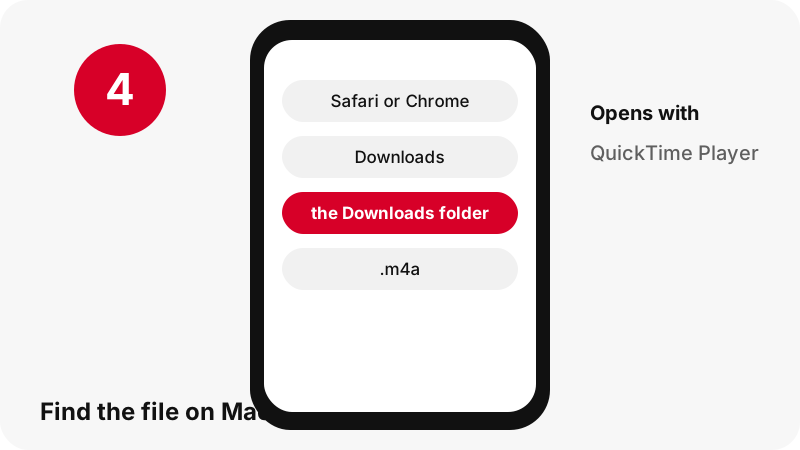
Mac at a glance
| Question | Answer on Mac |
|---|---|
| Browser | Safari or Chrome |
| Where the file lands | Chrome on Mac saves to /Users/<username>/Downloads by default; Safari saves to the folder set in Safari › Settings › General › File download location. |
| How to see it | Click Safari's downloads button near the top-right of the window; in Chrome, use the download icon next to the address bar. |
| Opens with | QuickTime Player |
| Change the folder | Safari › Settings › General › File download location. Chrome: Settings › Downloads › Change. |
What you get: M4A (AAC), cut from the video
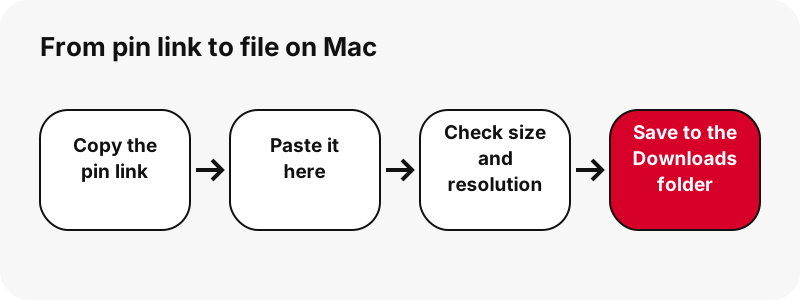
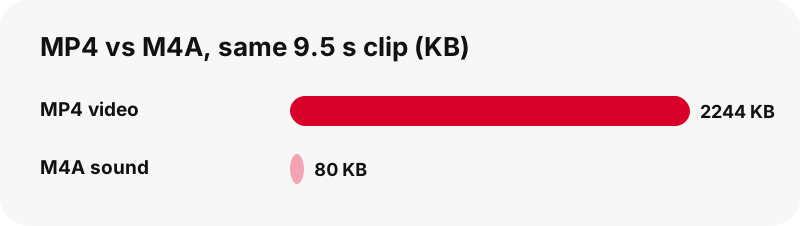
The sound is cut out of the pin's MP4 on your own device: the AAC samples are copied byte for byte into an .m4a file, with no re-encoding. In our tests a 9.5-second clip gave an 80 KB M4A and a 13-second clip 109 KB. If a video has no sound track, the tool says so instead of giving you a silent file.
| Detail | Audio from Pinterest |
|---|---|
| File extension | .m4a |
| Format | M4A (AAC), cut from the video |
| Largest version | the original AAC track, copied without re-encoding |
| Opens on Mac with | QuickTime Player |
| Preset on this page | Audio (M4A) |
Which app opens it on Mac?
QuickTime Player.
Keep it with your photos and media
Drag the file from Downloads to the folder you want in Finder; select it and press Space to preview it with Quick Look.
Good to know on Mac
Preview does not play animated GIFs; use Quick Look or a browser.
If the download does not show up on Mac
- Check the Downloads folder first: Click Safari's downloads button near the top-right of the window; in Chrome, use the download icon next to the address bar.
- Make sure the pin is public. Private pins and secret boards cannot be read without logging in, and this tool never asks for your Pinterest password.
- Links expire after one hour. If a button stops working, paste the pin link again.
- A pin.it short link must be complete: copy it again from Share › Copy link.
Same audio on other devices
- Download Pinterest Audio on iPhone
- Download Pinterest Audio on Android
- Download Pinterest Audio on PC
- Download Pinterest Audio on iPad
- Download Pinterest Audio on Chromebook
- Download Pinterest Audio on Windows
- Download Pinterest Audio on Samsung Galaxy
- Download Pinterest Audio on Xiaomi
- Download Pinterest Audio on Linux
- Download Pinterest Audio in Safari
- Download Pinterest Audio in Chrome
Other downloads on Mac
Frequently asked questions
Where do downloaded Pinterest audio go on Mac?
Chrome on Mac saves to /Users/<username>/Downloads by default; Safari saves to the folder set in Safari › Settings › General › File download location.
How do I find a downloaded Pinterest file on Mac?
Click Safari's downloads button near the top-right of the window; in Chrome, use the download icon next to the address bar.
Which app opens M4A (AAC), cut from the video on Mac?
QuickTime Player.
Can I choose another download folder on Mac?
Safari › Settings › General › File download location. Chrome: Settings › Downloads › Change.
What is the best quality I can get?
The original AAC track, copied without re-encoding. The tool never upscales or renames a smaller file as HD.
Do I need an app or a Pinterest account?
No. It runs in the browser (Safari or Chrome), with no sign-up and no app to install.
Is PinDownload part of Pinterest?
No. PinDownload is an independent tool and is not affiliated with Pinterest. It only reads public pins.
Can I download private pins?
No. Only public pins can be read without logging in; private pins and secret boards are out of reach by design.
Is the file a real MP3?
No, and we say so plainly: it is an M4A file with the original AAC sound, copied without re-encoding, so nothing is lost on the way.
Is my video uploaded to cut the sound?
No. The MP4 is downloaded to your browser and the sound is cut out there; nothing is sent back to our server.
Guides
MP3 / Audio — Cut the sound from a video pin as an M4A file on your device.